
How can I embed a rating seal?
To add a seal to your website, your profile must be public. Go to Reputation Boost in the profile and use the PRO Seal Generator to create it
Updated on February 12, 20261 min. read
Embed PRO Seal
→ your profile must be public: see How to publish my profile
- Go to Reputation Boost > PRO Seal in your profile.
- Click on the top right corner PRO SEAL GENERATOR

- Fill in the appropriate fields to generate your PRO Seal. You can then add it to your website.
Embed other rating seals
- Go on your profile to Reputation Boost > Rating Seals.

- Select an option and adjust the shape and size as desired, e.g. :
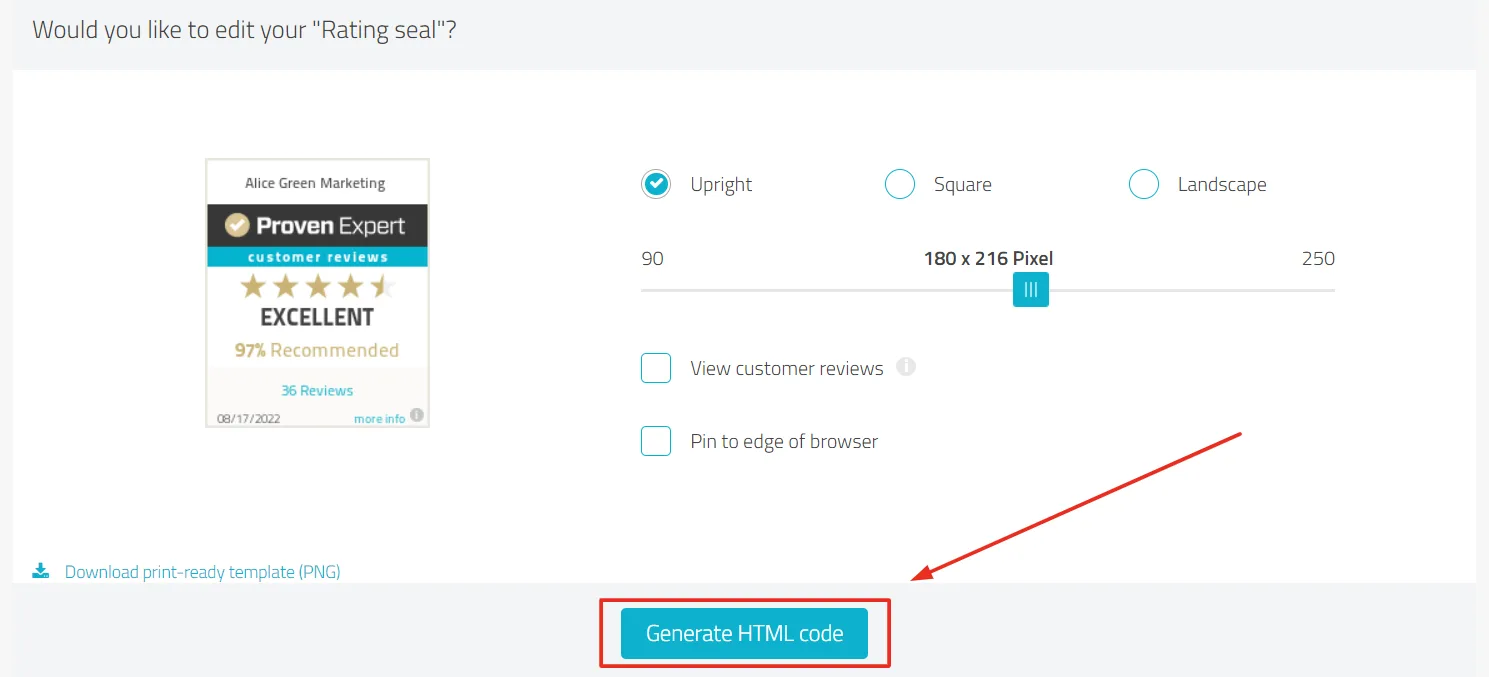
- Click on Generate HTML Code.
- Copy the displayed code and paste it into your website.
Was this article helpful?