
What is the Status Details column on the ProvenExpert Business Listings page?
Within the Status Details column, we explain what the Not Synced status means and how to resolve listings that aren’t synced.
Updated on February 12, 20261 min. read
- All publishers on the All Listings page have a designated status in the system platform.
- Within the Status Details column, we explain what the Not Synced status means and how to resolve listings that aren’t synced.
- For more information on listings that are not synced, see: What should I do when a listing status on the ProvenExpert Business Listings is “Not Synced”?
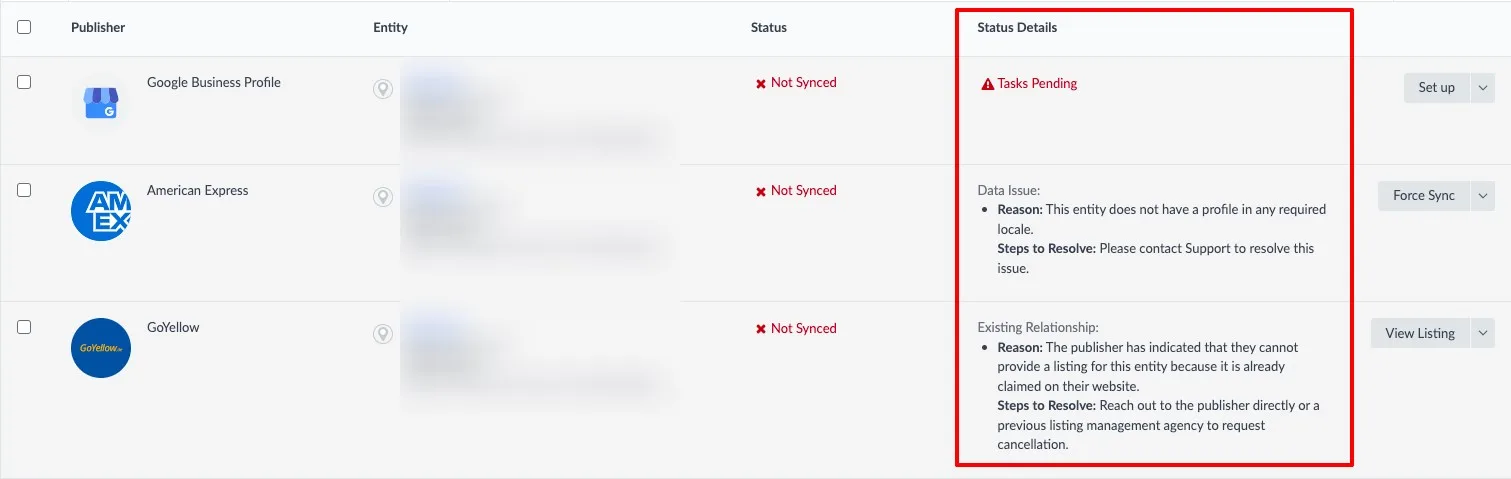
What does each status mean?
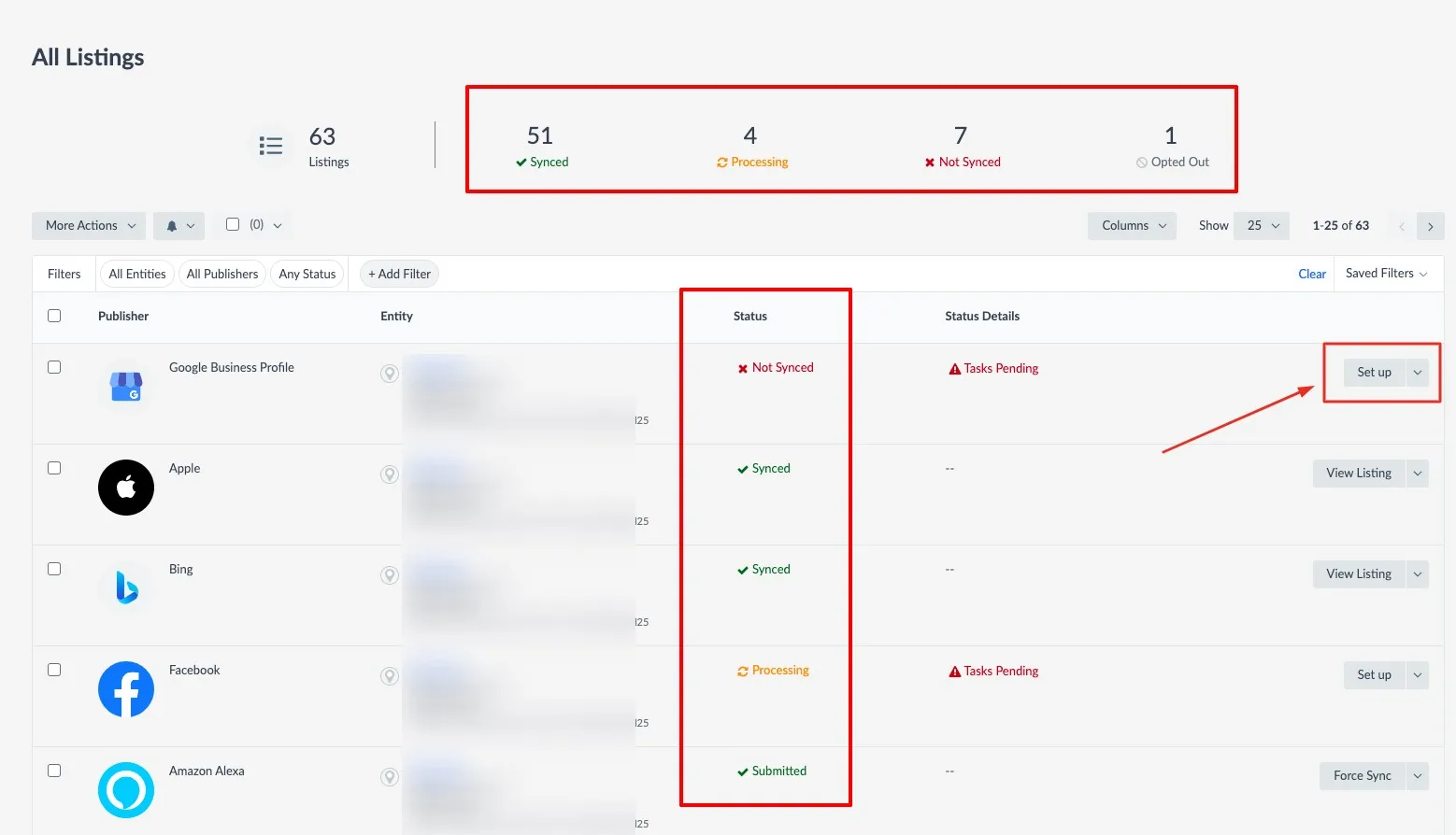
Status: Tasks Pending
- The review of this listing is pending by the publisher.
- In most cases, no action is needed.
- You need to wait before you can make any updates here. Review time can vary by publisher.

- This status will sometimes display alongside a Set up button.
- This means that you need to link your account separately to specific publishers.
- For more information, see How do I connect Facebook and Google Business Profile to ProvenExpert's Business Listings?
Was this article helpful?