
How do I publish my reviews automatically?
With AutoPublish, your reviews are published automatically. All you have to do is decide the minimum star rating at which new reviews are published automatically: 3, 4, or 5 stars.
Updated on February 12, 20261 min. read
This article was translated automatically.Show original (Español)
- Open the menu on the left and go to Administration → Settings.
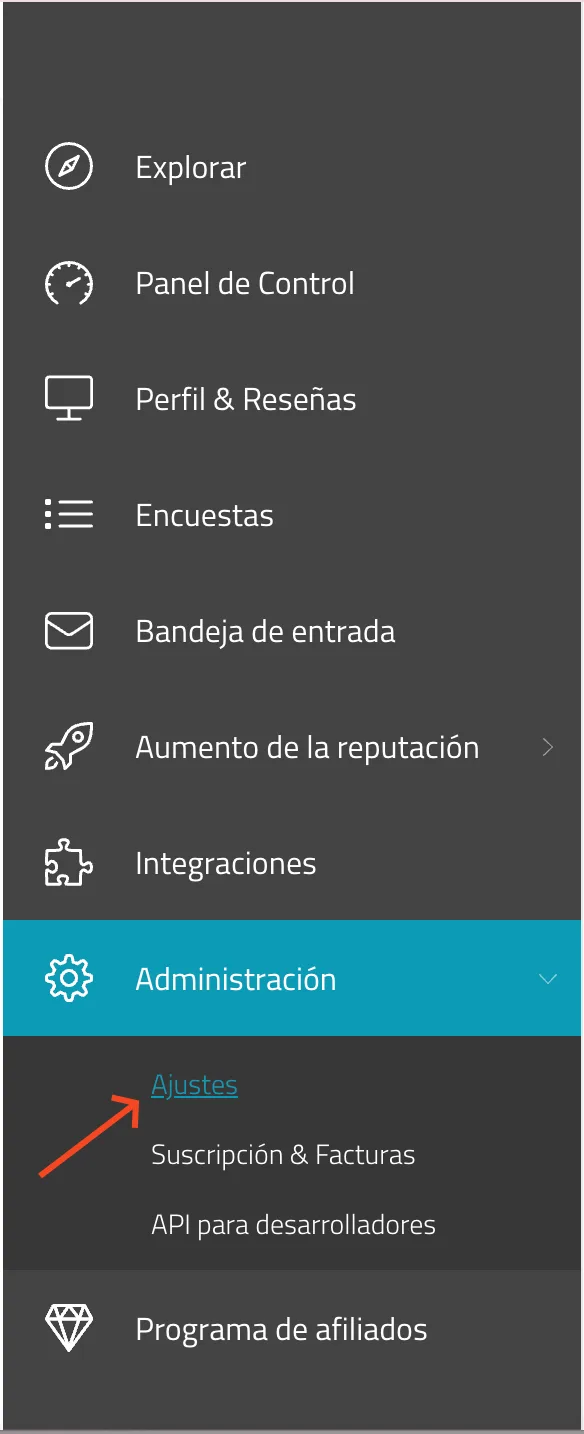
2. Click the edit icon to open the "Automatic review publishing" option.

3. In the drop-down menu, choose the minimum rating at which you want your reviews to be published automatically, for example 3, 4, or 5 stars.
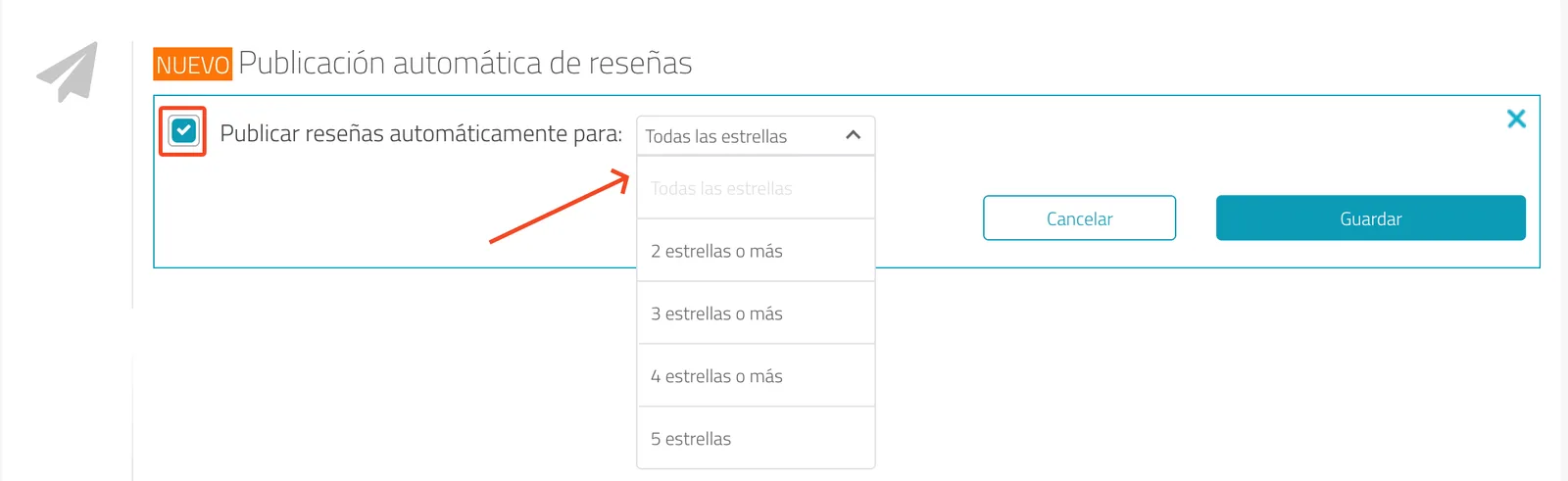
From that point on, the system takes care of everything for you.
Was this article helpful?